Useful commands to daily drive Linux
Some useful linux commands that people keep forgetting
Not gonna lie but people(including me) forget basic commands more than they admit! so here are few commands that someone definitely needs to know and remember🤓.
Navigation
pwd
pwd prints name of your working directory
cd <dir_name>
cd is used to change directory.
cd .. brings you back one directory
cd ~ brings you to home directory
ls
ls is used to list files & folders in a directory
if you want more details use ls -l 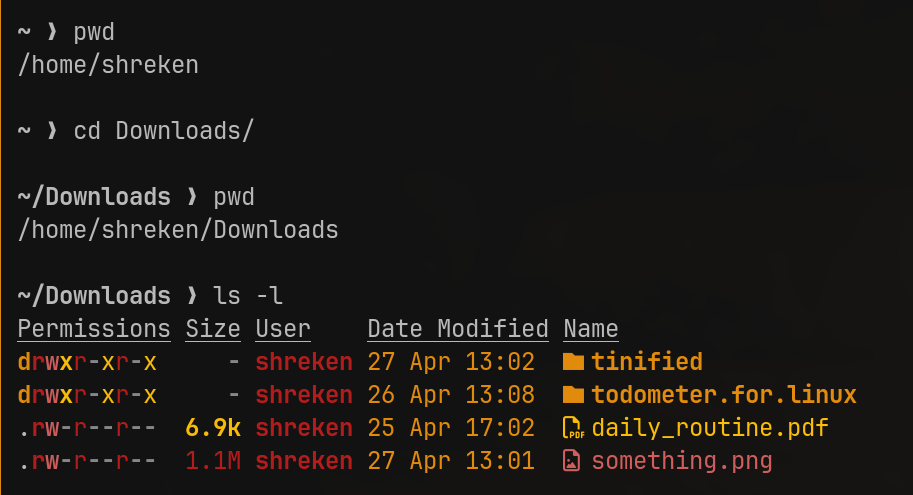
File Handling
touch <file_name>
touch is used to create files
rm <file_name>
rm is used to remove files
cp <file> <destination_path>
cp is used to copy file and folders, use -r to copy items in folder too
mv <file> <destination_path>
mv is used to move files and folders, use -r arguments to copy folder items recursively
mv is also used to rename files, use mv <name_one> <name_two>
here is the process of rename files on linux using mv 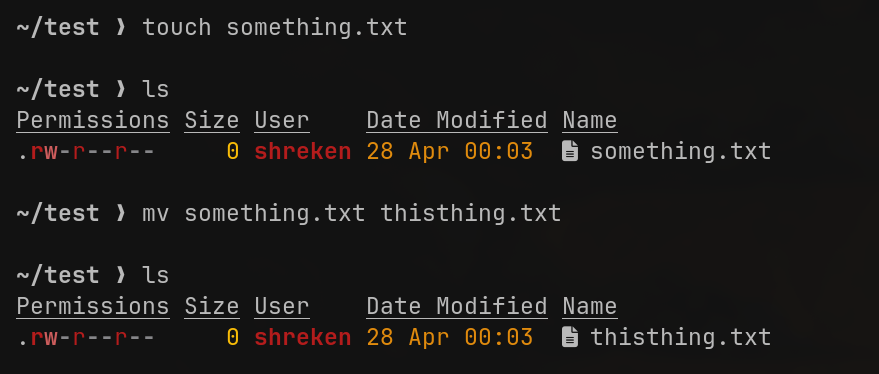
Viewing Files
cat <file_name>
cat is used to read text files
less <file_name>
use this to read text files and scroll through pages
head <file_name>
prints first few lines of a text file
tail <file_name>
prints last few lines of a text file
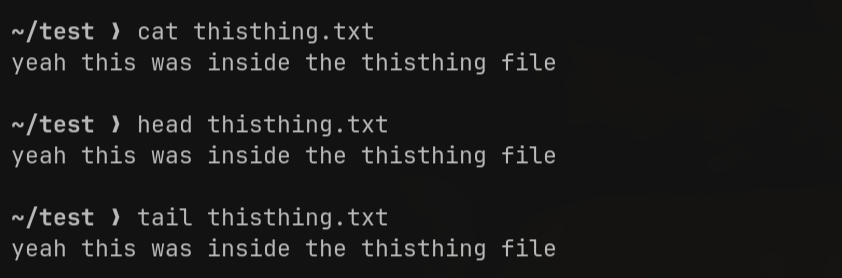 here cat,head & tail all showed the same output cause the file only contained a single line of text
System Basics
whoami
prints the username
hostname
prints the hostname of the machine
history
tells previously used commands
date
this command prints out the date in terminal